Marketing & Advertising
Marketing Campaign Planner PowerPoint Template
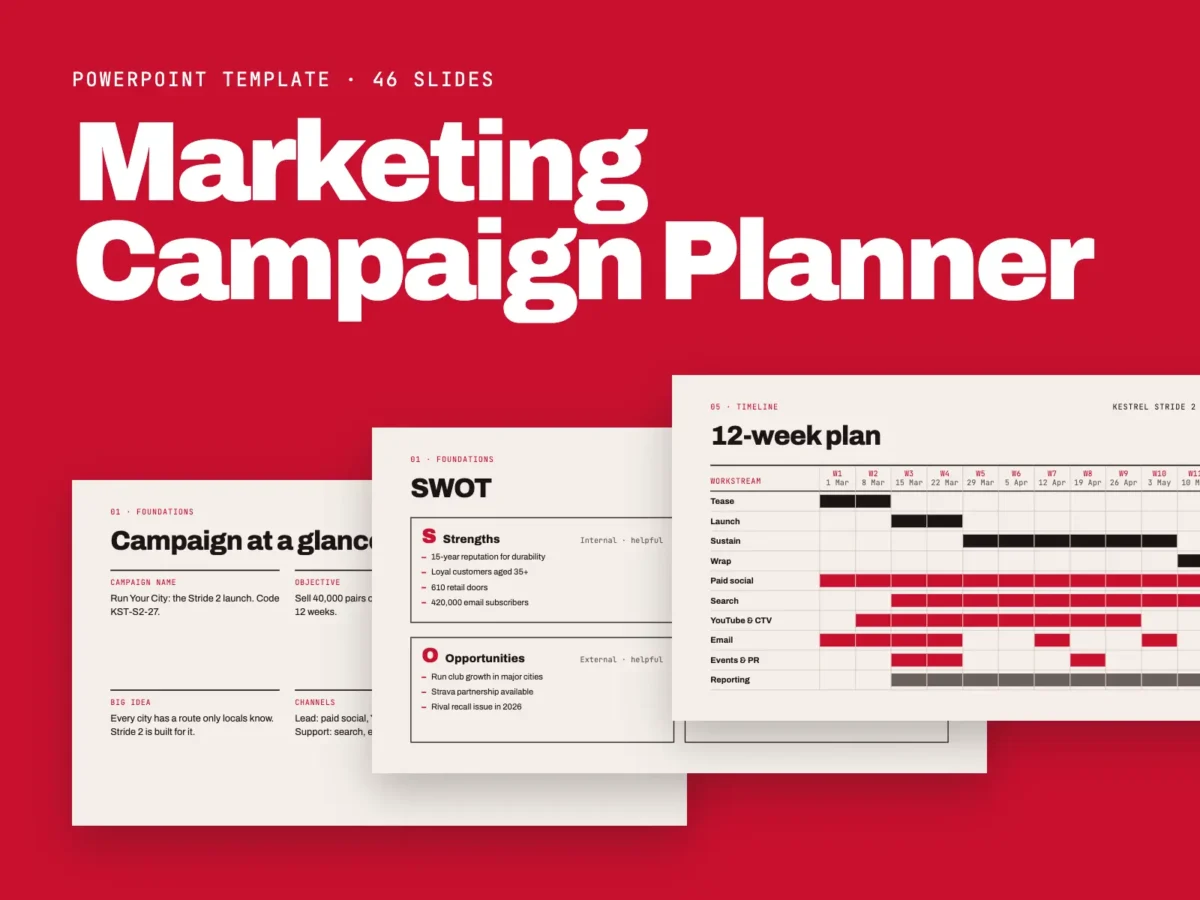
A complete campaign planning workbook for PowerPoint. Plan goals, audience, messaging, channels, timeline, budget and results in one 46-slide deck. Includes a blank template and a fully worked example.
What's included
Marketing Campaign Planner1.6 MB
Plan your campaign from first brief to final report.
Plan your next marketing campaign from first brief to final report. This 46-slide PowerPoint template walks you and your team through every decision, in order, with a clear worksheet for each step.
The listing file also has a full description with the slide list, features, files included and tags. It tells buyers the fonts aren’t inside the PowerPoint files and the sample brand is made up.
Key features
46 editable slidesA structured campaign planning workbook from brief to post-campaign review.
Blank planner + worked exampleIncludes a fill-in template and a completed fictional product-launch example.
Seven planning sectionsFoundations, audience, strategy and message, channels, timeline, budget and resources, and measurement.
Campaign strategyOrganize objectives, SMART goals, situation analysis, SWOT, competitors, positioning, big idea, messaging, offer, and call to action.
Audience planningMap segments, personas, customer journey, insights, and pain points.
Channel and content planningPlan paid, owned, and earned channels, funnel content, and creative assets.
Timeline and resourcesIncludes a 12-week Gantt plan, monthly content calendar, milestones, approvals, budget allocation, RACI matrix, and risk register.
MeasurementSet KPIs, UTM tracking and attribution, reporting cadence, and post-campaign review.
Editable PowerPointCustomize text, shapes, and tables; recolour the red, ink, and paper palette.
Speaker notes and guidesSpeaker notes on every slide, plus how-to-use, editing, and font guides.
What's inside
Fonts are not embedded. Install Archivo and JetBrains Mono using the Google Fonts links on slide 46. The sample brand “Kestrel” and all worked-example figures are fictional.01
Foundations | Campaign at a glance, business objective, SMART goals, situation analysis, SWOT, competitor landscape02
Audience | Audience segments, persona profile, customer journey map, insights, pain points03
Strategy & message | Positioning statement, big idea, message hierarchy, tone of voice scales, offer, call to action04
Channels | Channel mix, paid media plan, owned channels, earned media and partners, content by funnel stage, asset checklist05
Timeline | Campaign phases, 12-week Gantt plan, monthly content calendar, milestones, approvals06
Budget & resources | Budget allocation, team RACI matrix, risk register07
Measurement | KPI framework, UTM tracking and attribution, reporting cadence, post-campaign review, launch checklist08
Additional slides | Title slide, how-to-use guide, contents, notes and decisions log, editing guide, font guideWho it's for
Marketing managersPlan campaigns from initial brief through reporting.
AgenciesBuild structured campaign plans and align client stakeholders.
Freelancers and consultantsOrganize campaign strategy, deliverables, budget, and timeline.
Startups and small business ownersPlan product launches and marketing activity.
StudentsLearn a structured campaign-planning workflow.
No reviews yet.
Be the first to review “Marketing Campaign Planner PowerPoint Template”